
The solution to office peak day chaos isn’t more desks; it’s a proactive system that shapes employee attendance patterns and optimizes space based on real data.
- Instead of reacting to complaints, strategically “de-risk” peak days like Tuesday by implementing team-based anchor days and off-peak perks.
- Leverage desk booking analytics not just for reservations, but to understand utilization patterns and make data-driven decisions on space and policy.
Recommendation: Shift your focus from managing seats to managing demand. Start by analyzing your peak occupancy data to identify the biggest opportunities for smoothing the attendance curve.
The familiar Tuesday morning scramble. Employees arrive to find a sea of occupied desks, sparking frustration and a flood of complaints to your office. You’re tasked with managing desk sharing ratios, but the reality is a logistical nightmare concentrated on two or three days a week. The common advice—”get better booking software” or “establish clear etiquette”—barely scratches the surface of this complex operational challenge. These reactive measures fail to address the root cause: a predictable, yet unmanaged, surge in demand.
While concepts like hot-desking and hoteling promise efficiency, their poor implementation often leads to a sense of territorial loss and anxiety among staff. The feeling of not having a ‘home base’ can undermine the very collaboration these flexible models are meant to foster. But what if the problem isn’t the concept of desk sharing itself, but our approach to managing it? What if the key isn’t simply providing a booking tool, but using it as a data engine to proactively shape how and when the office is used?
This guide moves beyond the platitudes. It presents a strategic framework for facilities managers to transition from reactive problem-solving to proactive, systemic control. We will explore how to manage not just the space, but the demand for it. By focusing on de-risking peak attendance days, implementing intelligent policies, and leveraging technology for predictive utilization, you can transform the morning chaos into a smooth, efficient, and positive workplace experience. This is about creating an office that works for everyone, every day of the week.
This article will provide a complete operational blueprint, from addressing employee psychology to making data-driven real estate decisions. Discover the systems and strategies that turn flexible seating from a source of stress into a powerful asset for organizational efficiency.
Summary: A Strategic Framework for Managing Desk Sharing and Office Occupancy
- Why Employees Hate Hot-Desking and How to Fix the “Loss of Territory” Feeling
- How to Select a Desk Booking App That Integrates With Outlook/Slack
- Hoteling vs. Hot Desking: Which Model Suits a Consultative Sales Team?
- The Cleanliness Protocol That Prevents Flu Outbreaks in Shared Desk Environments
- When to Force Remote Days: Flattening the Tuesday/Thursday Attendance Curve
- Why “Asynchronous First” Is the Only Way to Scale Global Teams
- Why Your Company May Be Liable for a Home Office Injury
- How to Reduce Office Square Footage by 30% Using Activity-Based Working?
Why Employees Hate Hot-Desking and How to Fix the “Loss of Territory” Feeling
The most common complaint against hot-desking isn’t a lack of desks, but a loss of identity and belonging. An assigned desk is more than a piece of furniture; it’s a personal anchor, a symbol of permanence, and a social hub. Removing it without a proper replacement strategy can leave employees feeling like nomads in their own company. However, the solution isn’t to abandon flexible seating. In fact, recent workplace satisfaction data reveals that 73% of employees are more satisfied with their company when offered hot desking and flexible working opportunities. The key is to address the psychological need for a “home base” without dedicating a physical desk to every individual.
This is achieved by shifting from individual territories to team-based “neighborhoods.” These are designated zones where teams that frequently collaborate are grouped. While individual desks within the neighborhood remain bookable, the zone itself provides a sense of place and belonging. These areas should be more than just a cluster of desks; they become a functional home base equipped with shared resources like team-specific whiteboards, project storage, and dedicated lockers. This approach fosters a sense of collective ownership and makes it easier for colleagues to find each other, preserving the social benefits of the office.
Furthermore, you can create a “Digital Territory.” This involves using technology to provide a sense of personalization and stability that is independent of physical location. This can include personalized digital dashboards that greet employees, stable virtual team rooms for ongoing projects, and communication channels dedicated to specific office neighborhoods. By providing both a physical team zone and a stable digital presence, you replace the outdated concept of a single owned desk with a more dynamic and effective sense of belonging that supports a hybrid work model.
How to Select a Desk Booking App That Integrates With Outlook/Slack
A desk booking app is the central nervous system of any successful desk sharing strategy. The right tool is not just a reservation system; it’s a data-gathering engine and a communication platform that removes friction from the employee experience. When selecting a solution, the most critical feature is seamless integration with the tools your employees already use daily, namely Outlook/Google Calendar and Slack/Microsoft Teams. If booking a desk requires opening a separate, unfamiliar app, adoption will fail. The process must feel like a natural extension of their existing workflow, such as booking a meeting room.
Beyond basic integration, a powerful system provides real-time visibility and robust analytics. Facilities managers need a dashboard that shows not just who has booked a desk, but actual utilization patterns, no-show rates, and peak demand hours. This data is the foundation for making informed decisions about everything from cleaning schedules to long-term real estate strategy. Look for features like automated check-ins (e.g., via Wi-Fi or a QR scan) and automatic desk release after a period of no-show, which are crucial for maximizing the availability of your limited desk inventory and preventing “ghost bookings.”
To make the selection process more structured, here is a breakdown of key features to evaluate. Pay close attention to the “Red Flag if Missing” column, as these are non-negotiable for any modern, scalable system.
| Feature | Essential | Nice-to-Have | Red Flag if Missing |
|---|---|---|---|
| Real-time availability | ✓ | ||
| Calendar integration (Outlook/Google) | ✓ | ✓ | |
| Mobile app booking | ✓ | ||
| Colleague finder/location | ✓ | ||
| Analytics & reporting | ✓ | ||
| SSO integration | ✓ | ✓ | |
| Automated check-in/release | ✓ | ||
| Visitor desk booking | ✓ |
Case Study: Rakuten Advertising’s Data-Driven Implementation
Following the shift to hybrid work, Rakuten Advertising successfully implemented Cloudbooking’s desk booking solution across its international offices. According to a report on their implementation, the platform’s analytics were key. By providing an integrated system for desks, visitor management, and even car park booking, they created a unified employee experience. More importantly, the analytics helped them track booking lead times, no-show rates, and peak hour patterns. This data allowed them to dynamically adjust desk inventory and implement policies to prevent phantom bookings, ensuring space was always available for those who needed it.
Choosing a system with strong analytics provides the “predictive utilization” capabilities needed to move beyond simply managing chaos and start actively optimizing your workspace.
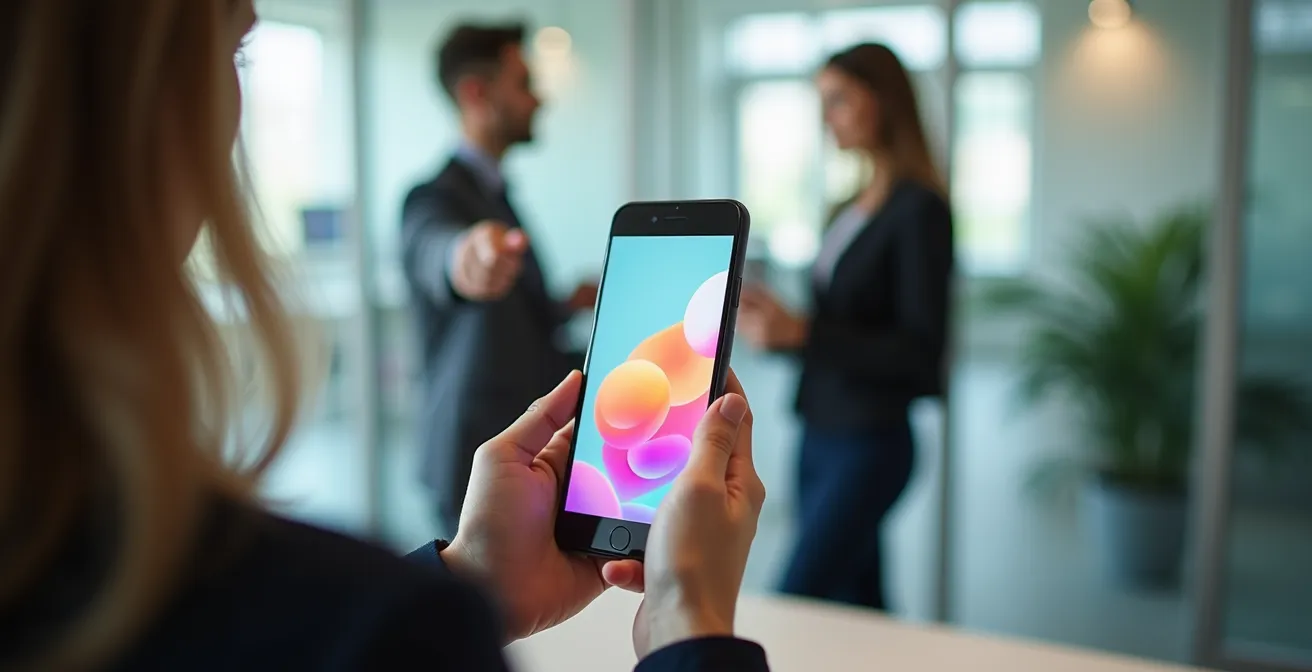
The right interface makes booking a desk as intuitive as ordering a coffee, which is critical for employee adoption and overall success of the flexible seating model.
Hoteling vs. Hot Desking: Which Model Suits a Consultative Sales Team?
The terms “hot desking” and “desk hoteling” are often used interchangeably, but they represent two distinct operational models with different implications, especially for a dynamic group like a consultative sales team. Hot desking is a first-come, first-served model where employees grab any available desk upon arrival. It offers maximum flexibility but zero predictability. Hoteling, by contrast, is a reservation-based model where employees book a specific desk or workspace in advance, much like a hotel room.
For a consultative sales team, whose in-office needs fluctuate dramatically, neither model is a perfect fit all the time. During intense, collaborative periods like end-of-quarter pushes or deal-closing war rooms, the predictability of hoteling is superior. It allows the team to reserve a block of desks together, ensuring they can collaborate effectively without scrambling for space. It also enables managers to reserve premium desks near executive suites for important client visits, guaranteeing a professional impression. Hot desking would be chaotic and counter-productive in these high-stakes scenarios.
However, during the prospecting and relationship-building phases of the sales cycle, when office visits are brief and focused on administrative tasks like updating the CRM or making calls, hot desking is more efficient. It provides “touchdown” spaces for quick tasks without the administrative overhead of reservations. The optimal solution for a sales team is a hybrid approach: use hoteling for planned, high-value collaboration and client-facing days, and provide a zone of hot desks for quick, ad-hoc administrative work. This dynamic strategy aligns the workspace model with the team’s immediate business objectives.
This table outlines the key differences and helps determine which model to apply based on the team’s current work phase.
| Aspect | Hoteling (Reserved Desks) | Hot Desking (First-Come) |
|---|---|---|
| Best for | End-of-quarter intense periods | Prospecting/relationship phases |
| Booking | Advance reservation required | No reservation, grab available desk |
| Managerial oversight | Clear tracking via booking data | Less visibility on team presence |
| Client visits | Can reserve premium desks | No guarantee of impressive location |
| Flexibility | Less flexible, requires planning | Maximum day-to-day flexibility |
| Typical duration | Multiple days/weeks | Daily basis |
The Cleanliness Protocol That Prevents Flu Outbreaks in Shared Desk Environments
In a shared desk environment, cleanliness is not just a matter of comfort; it’s a critical component of employee health, safety, and psychological trust. The “ick factor” of using a desk previously occupied by an unknown colleague is a major barrier to hot-desking adoption. A successful cleanliness protocol must be both effective and highly visible. Employees need to see the proof of cleanliness to feel confident and safe in the space.
Two primary operational models can be implemented: a “Centralized Reset,” where a professional cleaning crew sanitizes each workspace between bookings, or a “User-Owned Handoff,” where employees are responsible for wiping down their desk and equipment before they leave. The centralized model offers higher consistency but can be costly and logistically complex, especially during peak hours. The user-owned model is more scalable but requires clear communication and easily accessible supplies at every workstation.
Regardless of the model chosen, the protocol must extend beyond the desk surface. A “High-Touch Point Audit” is essential, creating a schedule for regularly sanitizing items that are often overlooked but frequently used, such as conference phone keypads, whiteboard markers, coffee machine buttons, and door handles. Displaying a “Cleanliness Dashboard,” which can be integrated into your booking system, shows the cleaning status and schedule for different office zones. This transparency builds trust and demonstrates a clear commitment to employee wellbeing, turning a potential negative into a tangible positive.

Providing high-quality cleaning supplies at every station empowers employees to take ownership of their workspace hygiene and fosters a culture of shared responsibility.
Action Plan: Implementing a Visual Confidence Cleanliness Protocol
- Signal Safety: Place a “Sanitized for You” card or a breakable paper seal on the keyboard and mouse after a professional cleaning cycle to provide a clear visual cue that the space is ready and safe.
- Define the Handoff: Formally choose and communicate your cleaning model—either a ‘Centralized Reset’ by cleaning staff or a ‘User-Owned Handoff’ where employees clean before leaving.
- Audit High-Touch Points: Create and post a visible cleaning schedule for shared items often missed, including conference phone keypads, whiteboard markers, and communal appliance buttons.
- Provide Supplies: Equip every single desk or workstation cluster with its own kit of disinfectant wipes, hand sanitizer, and microfiber cloths. Accessibility is non-negotiable.
- Communicate Status: Use your booking system or digital signage to create a ‘Cleanliness Dashboard’ that displays real-time cleaning schedules and completion status for different office zones, building transparency and trust.
When to Force Remote Days: Flattening the Tuesday/Thursday Attendance Curve
The single biggest cause of desk-sharing chaos is the dramatic, predictable spike in office attendance on Tuesdays, Wednesdays, and Thursdays. Recent workplace utilization data shows that offices can reach 45% occupancy on Tuesdays but plummet to just 24% on Fridays. This uneven distribution means your real estate is simultaneously overcrowded and underutilized within the same week. The most effective strategy to solve this is not to add more desks, but to actively flatten the attendance curve by shaping employee behavior through policy and incentives.
The most direct lever is to implement “Team Anchor Days.” Instead of a company-wide mandate for in-office days, empower individual teams or departments to choose their own one or two core days. For example, the Marketing team might choose Mondays and Wednesdays, while the Engineering team selects Tuesdays and Thursdays. This immediately distributes demand across the week, preventing a single-day surge. This approach also enhances collaboration, as teams are guaranteed to be in the office together on their chosen days.
To further encourage a more balanced week, introduce “Off-Peak Perks.” Gamify attendance on Mondays and Fridays by offering tangible benefits like free catered lunches, exclusive training sessions, wellness classes, or an extra budget for team social events on those days. This shifts the perception of Mondays and Fridays from optional to valuable. In some cases, a more assertive approach might be necessary, such as a “Book Your WFH Day” model where office presence is the default and employees use a limited quota of remote days as a perk. This fundamentally reverses the dynamic from “do I have to go in?” to “can I work from home?”. The key is to use policy not as a rigid rule, but as a strategic tool to manage demand.
Why “Asynchronous First” Is the Only Way to Scale Global Teams
While managing physical office space is a key challenge, a truly scalable hybrid strategy must also address the digital workspace. For global teams operating across multiple time zones, a culture of “Asynchronous-First” communication isn’t just a preference; it’s a necessity. An async-first approach means that real-time (synchronous) communication, like meetings, is the exception, not the rule. The default is to communicate in a way that does not require the other person to be available at the same time, using tools like shared documents, project management boards, and recorded video messages.
This culture directly impacts office utilization. When documentation and decision-making live in a “Single Source of Truth” (SSoT)—a central digital hub like Notion or Confluence—the pressure to be physically present to “stay in the loop” diminishes. Employees can contribute and catch up on their own schedule, reducing the need for everyone to be in the same place at the same time. This philosophy reserves the physical office for what it does best: facilitating high-value, synchronous moments like strategic workshops, complex problem-solving sessions, and crucial onboarding events.
Companies like Experian have successfully embedded this into their operating model. As part of their ‘Future of Work’ initiative, they implemented systems that support asynchronous work patterns, allowing employees to coordinate office visits around high-value moments while maintaining digital tools as the primary source of truth. By decoupling work from a specific time and place, an async-first culture reduces unnecessary office commutes, eases the demand on physical desks, and makes the entire organization more agile and scalable.
Why Your Company May Be Liable for a Home Office Injury
As you manage the complexities of the physical office, it’s crucial not to overlook a significant and growing area of risk: the home office. In many jurisdictions, an employer’s duty of care extends to employees’ remote workspaces. An injury sustained at home during work hours, whether it’s a repetitive strain injury from a poor ergonomic setup or a fall over a loose cable, can potentially lead to a workers’ compensation claim and corporate liability. Ignoring this is a significant financial and legal risk.
To mitigate this, organizations must establish a formal Virtual Ergonomic Assessment Program. This isn’t about intruding on an employee’s home, but about providing the guidance and resources to ensure a safe setup. The first step is to distribute a self-assessment checklist that helps employees evaluate their own chair height, monitor position, keyboard placement, and lighting. This should be followed by a process for review, such as a scheduled video call with HR or a facilities team member to discuss the setup and document it.
A critical policy decision is whether to provide a stipend or supplied equipment. A stipend offers flexibility but gives you less control over the quality and standards of the equipment purchased. Directly supplying a standard set of ergonomic chairs, monitors, and keyboards is more expensive upfront but ensures an enforceable standard and greater liability protection. Furthermore, your policy must address “Third-Place Workspaces” like cafes or co-working spots, clarifying the company’s liability in these less controlled environments. Proactively managing home office safety is no longer an optional perk; it’s an essential part of a comprehensive and defensible hybrid work strategy.
Key Takeaways
- The root cause of hot-desking failure is often psychological (“loss of territory”), which can be solved with team-based “neighborhoods.”
- The most critical feature of any desk booking app is seamless integration with existing workflows like Outlook and Slack to ensure user adoption.
- Actively flattening the Tuesday/Thursday attendance spike through policies like “Team Anchor Days” and “Off-Peak Perks” is more effective than simply adding more desks.
How to Reduce Office Square Footage by 30% Using Activity-Based Working?
The ultimate goal of mastering desk sharing ratios and hybrid logistics is not just to eliminate chaos, but to achieve significant operational and financial efficiency. This culminates in the implementation of Activity-Based Working (ABW), a workspace strategy where employees choose from a variety of settings based on the nature of their task. Instead of a sea of uniform desks, an ABW environment offers a mix of quiet zones for concentration, collaborative project rooms, informal cafe-style spaces for communication, and wellness rooms for contemplation. This is the ‘Four C’s’ of ABW design.
This model allows for a dramatic reduction in the traditional one-desk-per-person model and enables much higher sharing ratios. According to CBRE’s 2024 workplace benchmarking data, 62% of organizations now target sharing ratios at or above 1.5 employees per desk. This strategic shift has resulted in the average space per employee dropping from 292 to 205 sq ft. For a facilities manager, this represents a direct path to reducing real estate costs by 20-30% or more, without compromising productivity.
Implementing ABW requires a data-first approach. Start with a pilot program in a single department to gather usage data and calculate your “True Demand.” This can be estimated with a simple formula: (Hybrid policy % × Historical peak attendance % × (1 – no-show rate %)) = your actual desk requirement. This data-driven approach removes guesswork and allows you to iteratively refine your space mix based on how employees actually work. The transition to ABW is the final step in moving from a static, inefficient office to a dynamic, cost-effective workspace that truly supports the future of work.
To put these strategies into practice, your next step is to analyze your own office’s utilization data and begin a conversation with departmental leaders about implementing a pilot program for Team Anchor Days.