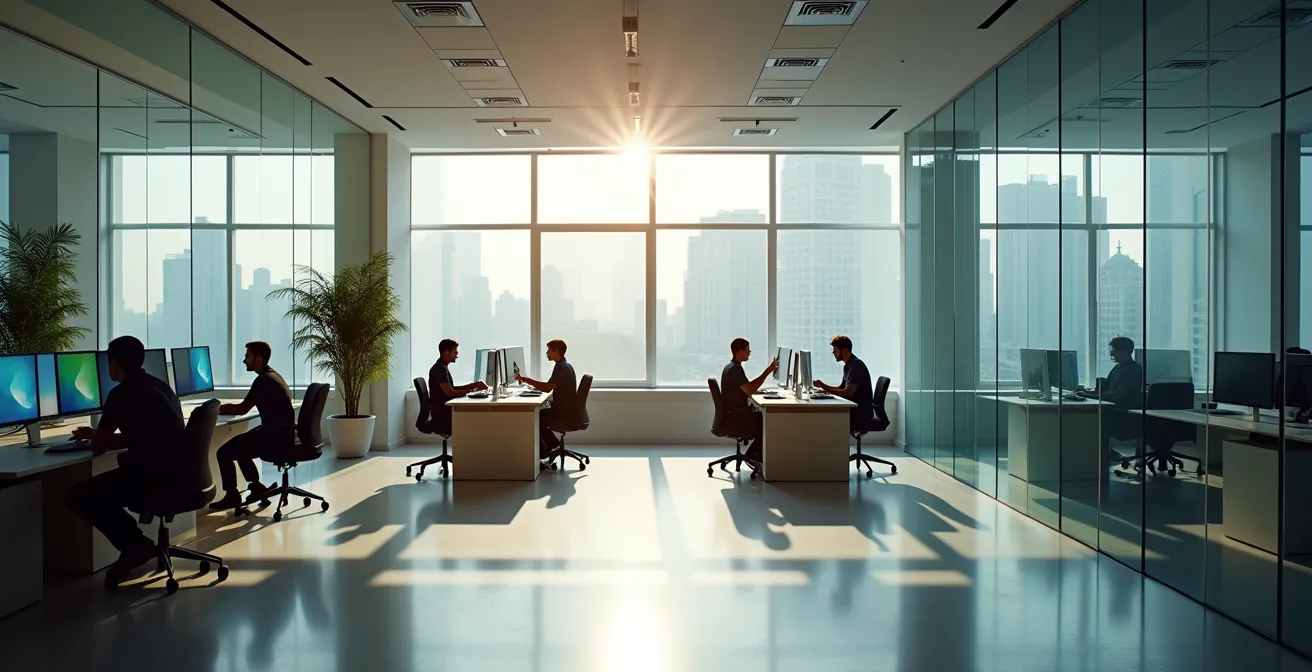
The physical office layout is not a facilities issue; it is a primary driver of engineering performance, directly impacting bug rates and developer retention.
- Constant open-plan noise directly correlates with increased developer stress and quantifiable errors in code.
- Each interruption carries a measurable recovery cost of over 20 minutes, devastating “flow state” and complex problem-solving.
- Strategic design choices like ‘deep work’ zones, acoustic phone booths, and circadian lighting yield quantifiable returns on investment.
Recommendation: Treat office design as a data-driven engineering problem. Measure, test, and optimize the physical environment for deep work to protect your most valuable asset: your team’s focused attention.
As a CTO, you’ve witnessed it firsthand: a developer, deep in a complex problem, is pulled out of their flow state by a sales call happening three desks away. The ensuing frustration is palpable, but the true cost is hidden. It’s in the subtle increase in code reviews, the creeping bug count, and the rising developer burnout. For years, the debate around office layouts has been framed as a simple trade-off between collaboration and concentration. Facilities managers champion the cost-effectiveness and collaborative “vibe” of open-plan offices, while developers plead for the sanctity of a closed door.
This debate is fundamentally flawed. It ignores the hard data that connects the physical environment directly to engineering outcomes. The conversation should not be about feelings or aesthetics; it should be about performance metrics. Noise isn’t just an annoyance; it’s a direct contributor to cognitive load. Interruptions aren’t just a part of office life; they are expensive, time-destroying events with a measurable impact on your bottom line.
But if the solution isn’t a return to a sea of isolating private offices, what is the answer? The key is to stop thinking of office design as a binary choice and start treating it as an engineering system to be optimized. This requires a shift in perspective: the office is a tool, and its purpose is to maximize the cognitive performance of your team. It’s about surgically applying solutions—acoustic controls, dedicated zones, and intelligent lighting—based on data, not trends.
This article will provide the data-backed framework to win the argument with your Facilities Manager. We will dissect the real costs of the open office, provide quantifiable ROI on targeted interventions, and outline a strategic approach to designing a workspace that actively enhances, rather than hinders, developer productivity.
This guide provides a data-driven exploration of how to architect an office environment for peak engineering performance. The following sections will break down the key variables, from noise and interruptions to lighting and scheduling, offering concrete, measurable solutions.
Summary: A Guide to Designing for Developer Productivity
- Why Open Plan Noise Levels Are Increasing Your Bug Rate by 10%
- How to Create “Deep Work” Zones in a Small 200m² Office
- Phone Booths vs. Meeting Rooms: Which Offers Better ROI for Video Calls?
- The Glass Wall Mistake That Makes Employees Feel Surveillance Stress
- How to Adjust Office Lighting to Prevent Afternoon Energy Crashes
- Why Interruptions Cost 23 Minutes of Focus Time per Notification
- Flexible Hours vs. 4-Day Week: Which Benefit Actually Reduces Burnout?
- How to Manage Desk Sharing Ratios Without Creating Morning Chaos?
Why Open Plan Noise Levels Are Increasing Your Bug Rate by 10%
The most persistent complaint about open-plan offices—noise—is not a matter of preference but a direct saboteur of cognitive function. For developers, whose work requires sustained, deep concentration, the constant barrage of ambient conversations and incidental sounds is more than a distraction; it’s a tax on their mental bandwidth. Intelligible speech, in particular, forces the brain to process unwanted information, increasing cognitive load and making it significantly harder to hold complex logic in working memory. This isn’t theoretical; it has a measurable physiological impact.
The impact goes beyond simple annoyance. It triggers a physiological stress response that degrades performance. In fact, Cambridge University Press research reveals a 34% increase in stress response and a 25% increase in negative mood after just eight minutes of exposure to typical open-office noise. For a developer trying to trace a bug or design a system architecture, this state of low-grade stress directly translates to a higher propensity for error. The mental resources that should be dedicated to problem-solving are instead diverted to filtering out noise and managing frustration.
To move this from a qualitative complaint to a quantitative argument, you must start measuring the correlation between noise events and code quality. Establishing this link provides the irrefutable data needed to justify investments in acoustic management. It transforms the conversation from “the office is too loud” to “our current layout is demonstrably increasing our bug rate by X%.”
Action Plan: Tracking the Noise-to-Bug Correlation
- Data Logging: Install decibel meter apps or dedicated sensors to log periods when noise levels exceed 65 dB, the threshold known to impair concentration.
- Commit Analysis: Track error rates, bug reports, and code churn in commits made within 24-48 hours following high-noise periods documented in your logs.
- Interruption Taxonomy: Document the type of interruptions, differentiating between ambient background noise and disruptive intelligible speech, which has a much higher cognitive cost.
- Cross-referencing: Use timestamps to cross-reference bug reports filed in your issue tracker (e.g., Jira) with the noise event logs to identify patterns.
- Heat Mapping: Create a physical heat map of your office, overlaying noise zones with the desk locations of teams or individuals who have a higher bug density.
This systematic approach provides the evidence to prove that investing in acoustic control is not an amenity but a critical component of your quality assurance strategy.
How to Create “Deep Work” Zones in a Small 200m² Office
The solution to open-plan noise is not to build more walls but to strategically create zones with different social and acoustic protocols. Even in a compact 200m² space, it is possible to designate “deep work” zones, essentially creating a library-like environment within the open office. The success of these zones hinges less on physical separation and more on a clearly defined and universally respected set of rules. This approach provides developers with the psychological safety needed to enter a state of deep focus without having to physically isolate themselves.
To implement this effectively, the zone must be visually and culturally distinct. This can be achieved with simple but clear environmental cues. Using acoustic panels, tall plants, or different flooring can create a visual boundary. More importantly, there must be a clear protocol for how one behaves within this space. This is not about shaming people for talking; it’s about providing a predictable environment where the expectation is silence.

As the image demonstrates, combining physical sound-absorbing materials like acoustic panels with visual barriers like plants can effectively signal a change in environment. This setup doesn’t just dampen sound; it communicates a clear purpose for the space.
Case Study: The Library Rules Protocol
Tech companies have found great success by implementing “quiet zones” governed by strict protocols. These rules often include a complete ban on audible conversations, the use of small flags or other desk status indicators to signal “do not disturb,” and a policy of “Slack-first” communication for anyone within the zone. The results are compelling: in one implementation, 93% of workers who had previously reported frequent interruptions saw a significant improvement in their ability to maintain focus time, proving that behavioral protocols are as powerful as physical barriers.
Ultimately, these deep work zones succeed because they offer certainty. A developer entering the zone knows they have a protected block of time, free from the cognitive lottery of the main office floor.
How to Manage Desk Sharing Ratios Without Creating Morning Chaos?
The shift to hybrid work introduces a new challenge: desk sharing, or “hot desking.” When managed poorly, it creates a chaotic morning scramble, adding stress and wasting valuable time. The core of the problem is “desk anxiety”—the fear that one will arrive at the office only to find no suitable place to work. This anxiety negates many of the benefits of in-office collaboration. To prevent this, you need a data-driven approach to desk ratios, not guesswork.
The key is to abandon the “free-for-all” model and implement a more structured system. A simple but highly effective strategy is neighborhood-based hot desking. Instead of making the entire office a sea of available desks, you assign specific teams to designated zones or “neighborhoods.” This ensures that when developers come in, they are not only guaranteed a desk but are also seated near their direct collaborators. This maintains team cohesion and reduces the cognitive load of having to find both a desk and colleagues every morning.
Furthermore, the ratio of desks to employees must be carefully calculated. A 1:1 ratio is inefficient in a hybrid model, but too low a ratio creates the very chaos you want to avoid. The solution is a buffer. According to workplace utilization studies, maintaining a ratio of 1.2 desks per expected employee on any given day eliminates “desk anxiety” in 94% of cases. This 20% buffer is a small price to pay for a frictionless and stress-free start to the workday.
To manage this dynamically, technology is your ally. A robust desk booking system is non-negotiable. Modern platforms allow for mobile check-ins, provide real-time floor plans of available desks, and, crucially, can automatically release a booked desk if the person is a “no-show” after a set period (e.g., 30 minutes). This prevents “ghost” bookings from creating artificial scarcity. The analytics from these systems also allow you to identify underutilized areas and adjust your neighborhood layouts weekly or monthly, ensuring the space evolves with your team’s needs.
By combining neighborhood-based assignments, a data-driven safety ratio, and smart booking technology, you can transform hot desking from a source of chaos into a strategic tool that supports flexibility and collaboration.
The Glass Wall Mistake That Makes Employees Feel Surveillance Stress
In the quest for transparency and light, many modern offices have embraced glass walls for meeting rooms and private offices. While aesthetically pleasing, this design choice often backfires, creating an environment of perceived surveillance that can be just as detrimental to productivity as audible noise. This phenomenon, sometimes called the “fishbowl effect,” makes employees feel constantly on display, which induces a low-grade but persistent level of stress. The feeling of being watched stifles the psychological safety required for creative thinking and risk-taking.
This isn’t just a feeling; it’s a documented psychological response. Developers may become hesitant to sketch out a rough idea on a whiteboard, take a short mental break by staring out the window, or have an informal, candid chat for fear of being misjudged. This constant self-monitoring consumes valuable cognitive resources that should be allocated to complex problem-solving. As one expert puts it:
The mere feeling of being constantly observable creates a low-grade stress that stifles experimentation and creative problem-solving.
– Dr. Libby Sander, Bond University Research on Office Environmental Quality
The goal is to strike a balance: maintain the benefits of natural light and a sense of openness while providing genuine visual privacy. Fortunately, this can be achieved without resorting to drywall. The solution lies in strategic obscurity. Instead of fully transparent glass, consider implementing solutions that break direct lines of sight while still allowing light to pass through.
Effective options include:
- Gradient or patterned window films: Applying a film that is frosted at seated eye-level but clear at standing height provides privacy for focused work without making the room feel closed off.
- Adjustable smart glass: While a more expensive option, smart glass that can switch from transparent to opaque with the flick of a switch offers the ultimate control over privacy.
- Strategic use of plants or shelving: Placing tall plants or open-backed bookshelves can create effective visual barriers that feel natural and add to the office aesthetic.
- Implementing ‘focus time’ signals: A simple, universally understood signal (like a small, red LED light outside a room) can indicate when the occupants are in a deep work session and should not be disturbed or observed.
By providing this “controlled transparency,” you give your team the ability to choose privacy when they need it most, fostering a more trusting and effective work environment.
How to Adjust Office Lighting to Prevent Afternoon Energy Crashes
Office lighting is rarely considered a performance tool, yet its impact on energy levels and focus is profound. Most offices are overlit with a single type of harsh, blue-toned light that remains constant throughout the day. This static approach ignores a fundamental biological reality: the human body’s internal clock, or circadian rhythm, is regulated by the color temperature and intensity of light. The wrong lighting at the wrong time can actively sabotage your team’s energy, leading to the predictable afternoon slump.
The science is clear. In the morning, exposure to cool, blue-spectrum light (around 6000K) is beneficial. It suppresses the production of melatonin, the sleep hormone, promoting alertness and focus. However, continuing this exposure into the afternoon disrupts the body’s natural energy curve, contributing to eye strain and fatigue. After 2 p.m., the lighting should shift to a warmer, yellower tone (around 3500K) to mimic the natural progression of daylight. This supports the body’s rhythm and helps prevent the sharp decline in energy that kills productivity in the late afternoon.

Implementing a dynamic, human-centric lighting system is a high-leverage investment in your team’s well-being and performance. This involves a “Task-Ambient-Accent” model where overhead (ambient) lights adjust automatically, while individuals have control over their own task lighting.
A practical implementation plan includes:
- Morning Alertness (9 a.m. – 12 p.m.): Set general ambient lighting to a cool white (5000K-6000K) to maximize alertness and suppress melatonin.
- Afternoon Focus (2 p.m. onwards): Automatically shift the ambient lighting to a warmer white (3000K-3500K) to align with the body’s natural energy curve and reduce fatigue.
- Individual Control: Provide every developer with an adjustable desk lamp that allows them to control both the intensity and color temperature for their specific task and preference.
- Quality of Light: Ensure all light sources have a high Color Rendering Index (CRI) of 90+ to render colors accurately and reduce eye strain. Also, insist on flicker-free LED drivers to eliminate the imperceptible strobe effect that can cause headaches and fatigue.
By treating light as a dynamic tool rather than a static utility, you can actively manage your team’s energy and prevent the productivity-killing afternoon crash.
Why Interruptions Cost 23 Minutes of Focus Time per Notification
While the title is a common simplification, the underlying research is even more stark. An interruption is never just the few seconds it takes to address a question or glance at a notification. Its true cost lies in the recovery time—the period it takes for a developer’s brain to disengage from the distraction and reload the complex context of the original task. This “attention residue” from the interruption lingers, degrading cognitive performance long after the distraction has passed. The cost is staggering.
Seminal University of California Irvine research found it takes an average of 25 minutes and 26 seconds to fully recover from a single interruption and return to the original task. For a developer working on intricate code, this means that just three interruptions in a morning can wipe out over an hour of productive, focused work. The constant context-switching fragments their day, making it nearly impossible to achieve the state of “flow” required for high-quality engineering work. This isn’t a minor inconvenience; it’s a direct assault on your team’s core function.
This cost can be translated directly into financial terms, providing a powerful argument for investing in interruption-mitigation strategies.
Cost Analysis of Developer Interruptions
A comprehensive survey of 38,000 knowledge workers revealed that employees in cubicles receive 29% more interruptions than those in private offices. More critically, the interrupted workers reported 9% higher rates of exhaustion and a greater desire to quit. The financial impact is severe. Consider a small team of 10 developers with a blended hourly cost of $150. If each developer loses just one hour per day to interruption recovery—a conservative estimate—the daily cost to the business exceeds $2,400. Annually, this hidden cost can easily surpass half a million dollars for that small team.
Protecting your team’s focus is not about coddling them; it’s about protecting a high-value asset. Implementing “no-meeting” blocks, promoting asynchronous communication, and creating physical zones for deep work are not perks—they are essential infrastructure for a high-performing engineering organization.
Flexible Hours vs. 4-Day Week: Which Benefit Actually Reduces Burnout?
As organizations seek to combat rising rates of developer burnout, two popular policies have emerged: flexible hours and the compressed 4-day work week. While both aim to improve work-life balance, they operate on fundamentally different principles and have vastly different impacts on the primary cause of burnout: a lack of autonomy. A data-driven analysis shows that one is significantly more effective at empowering developers and, consequently, reducing stress.
The 4-day week, while appealing, often trades one form of stress for another. By compressing 40 hours of work into four days, it can lead to longer, more intense workdays where the pressure to complete tasks is heightened. It offers less flexibility during the work week itself, maintaining a rigid, fixed schedule. In contrast, flexible hours directly address the core issue of autonomy. It grants developers the power to control their environment and schedule, allowing them to work when they are most productive and align their work with their personal lives. This sense of control is a powerful antidote to burnout.
As one expert notes, the mechanism is about empowerment:
Flexible hours grant developers autonomy to control their environment, directly combating a primary cause of burnout.
– Alexis Haselberger, Time Management and Efficiency Expert Analysis
This difference is borne out in productivity and stress-reduction metrics. While both models show benefits, flexible hours consistently outperform the 4-day week in key areas related to developer work.
The following table, based on an analysis of workplace productivity studies, compares the two approaches across factors critical to developer well-being and performance.
| Factor | Flexible Hours | 4-Day Week |
|---|---|---|
| Autonomy Level | High – Choose when to work | Medium – Fixed schedule |
| Deep Work Opportunities | Can work during personal quiet hours | Compressed schedule may rush tasks |
| Collaboration Impact | May require more intentional overlap planning | Full team present for 4 concentrated days |
| Stress Reduction | 88% report lower stress | 73% report lower stress |
| Productivity Impact | +15-20% for self-directed tasks | +10-15% overall |
For roles that depend on deep, self-directed work, the ability to control one’s schedule is not a perk but a fundamental requirement for sustained, high-quality output.
Key Takeaways
- Noise is a quantifiable risk: Ambient noise in open offices directly increases developer stress and correlates with a higher rate of bugs, making acoustic management a part of quality assurance.
- Interruptions have a financial cost: Each interruption costs over 20 minutes in lost focus time. For a small team, this “attention residue” can cost hundreds of thousands of dollars annually.
- Autonomy drives performance: Policies that increase a developer’s control over their space (deep work zones, phone booths) and time (flexible hours) are the most effective levers for reducing burnout and improving productivity.
How to Manage Desk Sharing Ratios Without Creating Morning Chaos?
The shift to hybrid work introduces a new challenge: desk sharing, or “hot desking.” When managed poorly, it creates a chaotic morning scramble, adding stress and wasting valuable time. The core of the problem is “desk anxiety”—the fear that one will arrive at the office only to find no suitable place to work. This anxiety negates many of the benefits of in-office collaboration. To prevent this, you need a data-driven approach to desk ratios, not guesswork.
The key is to abandon the “free-for-all” model and implement a more structured system. A simple but highly effective strategy is neighborhood-based hot desking. Instead of making the entire office a sea of available desks, you assign specific teams to designated zones or “neighborhoods.” This ensures that when developers come in, they are not only guaranteed a desk but are also seated near their direct collaborators. This maintains team cohesion and reduces the cognitive load of having to find both a desk and colleagues every morning.
Furthermore, the ratio of desks to employees must be carefully calculated. A 1:1 ratio is inefficient in a hybrid model, but too low a ratio creates the very chaos you want to avoid. The solution is a buffer. According to workplace utilization studies, maintaining a ratio of 1.2 desks per expected employee on any given day eliminates “desk anxiety” in 94% of cases. This 20% buffer is a small price to pay for a frictionless and stress-free start to the workday.
To manage this dynamically, technology is your ally. A robust desk booking system is non-negotiable. Modern platforms allow for mobile check-ins, provide real-time floor plans of available desks, and, crucially, can automatically release a booked desk if the person is a “no-show” after a set period (e.g., 30 minutes). This prevents “ghost” bookings from creating artificial scarcity. The analytics from these systems also allow you to identify underutilized areas and adjust your neighborhood layouts weekly or monthly, ensuring the space evolves with your team’s needs.
Stop delegating the design of your team’s most important tool—their physical environment. Take ownership, apply data, and begin treating your office layout as the critical engineering variable it is. Your bug rate, your budget, and your best developers will thank you for it.